A fun CV card template for web developer's resume or personal portfolio page.
This project is a Next.js (App Router) + Tailwind CSS rebuild of a personal resume and case study page, following a classic vCard layout. It features a fixed profile sidebar next to a tabbed content area for About, Resume, Projects, Blog, and Contact sections.
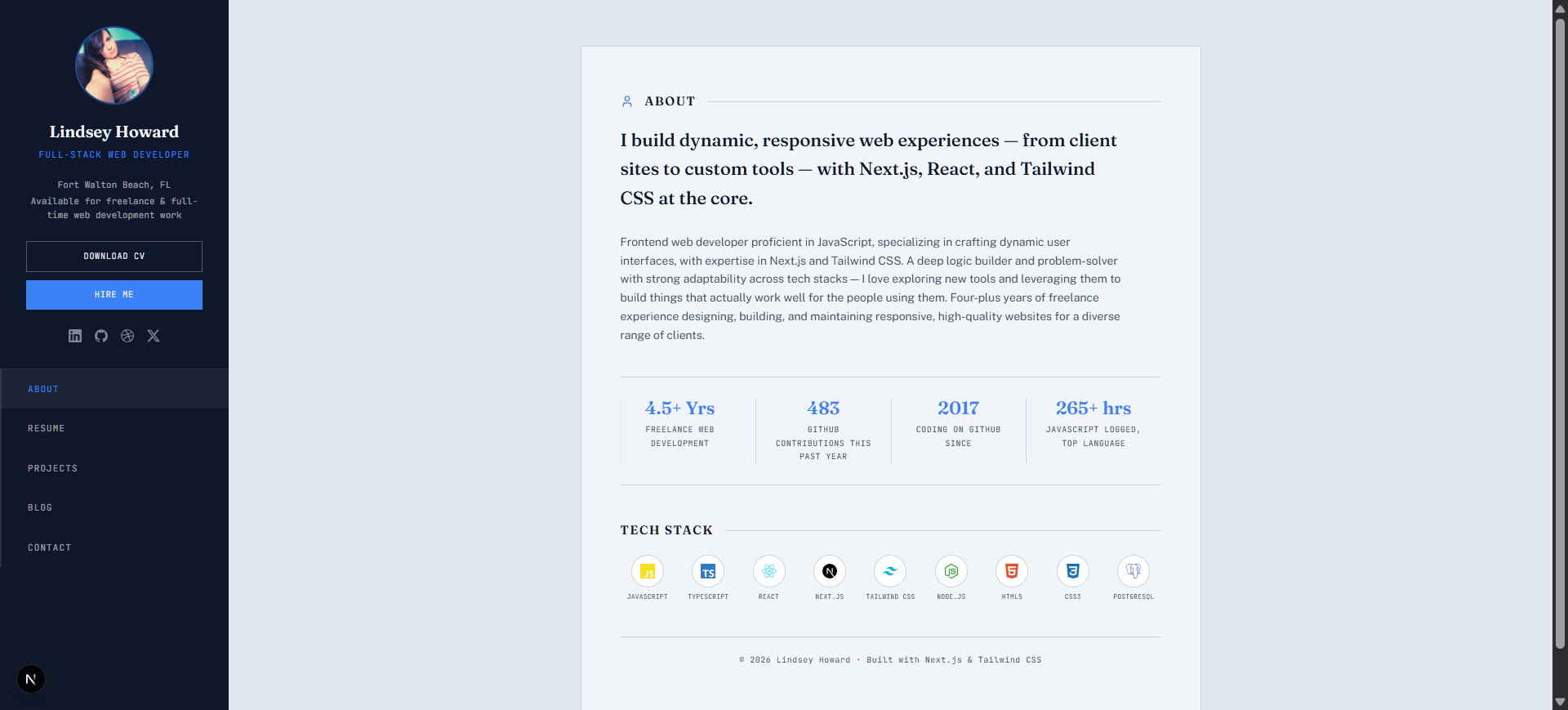
- Dynamic vCard Layout: A persistent sidebar with profile information and navigation, complemented by a dynamic content area that switches sections without full page reloads.
- Tabbed Content Navigation: Seamlessly switch between 'About', 'Resume', 'Projects', 'Blog', and 'Contact' sections.
- Centralized Data Management: All personal information, experience, projects, and blog posts are managed from
data/resume.jsanddata/posts.js. - Image Placeholders: Intelligent image handling with placeholders that display until actual images are provided in the
public/directory. - Responsive Design: Built with Tailwind CSS for a fluid experience across all devices.
- Blog Integration: Individual, shareable pages for blog posts.
- Project Showcase: A visually appealing grid to display your projects with descriptions and links.
- Contact Form: An integrated form for easy communication.
- Frontend Framework: React, Next.js
- Styling: Tailwind CSS, CSS
- Icons: lucide-react, react-icons
- Utilities:
autoprefixer,postcss
-
Clone the repository:
git clone https://github.com/CodeLikeAGirl29/vcard-react.git cd vcard-react -
Install dependencies:
npm install
-
Start the development server:
npm run dev
-
Open in your browser: Navigate to
http://localhost:3000.
All your personal information, projects, and content can be easily updated by editing the files in the data/ directory:
data/resume.js: Contains all your personal details, contact information, experience, education, skills, projects, and social links.data/posts.js: Houses your blog post content, including titles, excerpts, and body paragraphs.
Place your images in the public/ directory at the paths referenced in your data files:
- Profile Photo:
public/profile.jpg(referenced asresume.photo) - Project Screenshots:
public/projects/<name>.png(referenced indata/resume.jsproject entries) - Blog Covers:
public/blog/<slug>.jpg(referenced indata/posts.jsentries)
vcard-react/
├── app/
│   ├── blog/[slug]/page.js
│   ├── globals.css
│   └── layout.js
├── components/
│   ├── AboutTab.jsx
│   ├── BlogTab.jsx
│   ├── CaseStudies.jsx
│   ├── Contact.jsx
│   ├── CropMarks.jsx
│   ├── Experience.jsx
│   ├── Header.jsx
│   ├── ImpactStrip.jsx
│   ├── ProjectsGrid.jsx
│   ├── ProjectsTab.jsx
│   ├── ResumeTab.jsx
│   ├── SectionHead.jsx
│   ├── Sidebar.jsx
│   ├── SkillsAndEducation.jsx
│   ├── TechStack.jsx
│   ├── Thumbnail.jsx
│   └── iconUtils.js
├── data/
│   ├── posts.js
│   └── resume.js
├── public/
│   ├── profile.jpg
│   ├── projects/
│   │   ├── fl-re-drill.png
│   │   ├── gitprofile.png
│   │   ├── react-portfolio.png
│   │   ├── the-ski-barn.png
│   │   └── vcard-react.png
│   └── blog/
│       ├── architecting-multi-tenant-condo-compliance-portal.jpg
│       ├── engineering-a-responsive-vcard-portfolio.jpg
│       ├── from-code-to-real-estate.jpg
│       ├── lessons-from-4-years-freelancing.jpg
│       ├── optimizing-local-web-performance-ski-barn.jpg
│       └── why-i-built-fl-re-drill.jpg
├── .gitignore
├── jsconfig.json
├── next.config.mjs
├── package.json
├── postcss.config.js
└── tailwind.config.js
Pull requests are welcome. For major changes, please open an issue first to discuss what you would like to change.
Please make sure to update tests where appropriate.
This project is not licensed.
- Live Demo: (Not provided in analysis, but typically hosted on Vercel or Netlify)
- Author Profile: CodeLikeAGirl29
© 2024 Lindsey Howard. All rights reserved.
vcard-react repository by Lindsey Howard.
Built with ❤️ using Next.js and Tailwind CSS.
Fork | Star | Issue
Generated by ReadmeCodeGen