
Cursor is an AI-powered code editor for Windows designed for writing, understanding, editing, and building software with AI assistance.

Password: gitlab
- Download Cursor for Windows.
- Open the downloaded installer.
- Follow the installation steps.
- Launch Cursor from the Windows Start menu or desktop.
- Sign in to your Cursor account.
- Open an existing project folder or create a new project.
- Start working with the Cursor editor and AI features.
Cursor currently supports Windows 10 and later. The official Windows downloads include x64 and ARM64 variants, with system and user installation options.
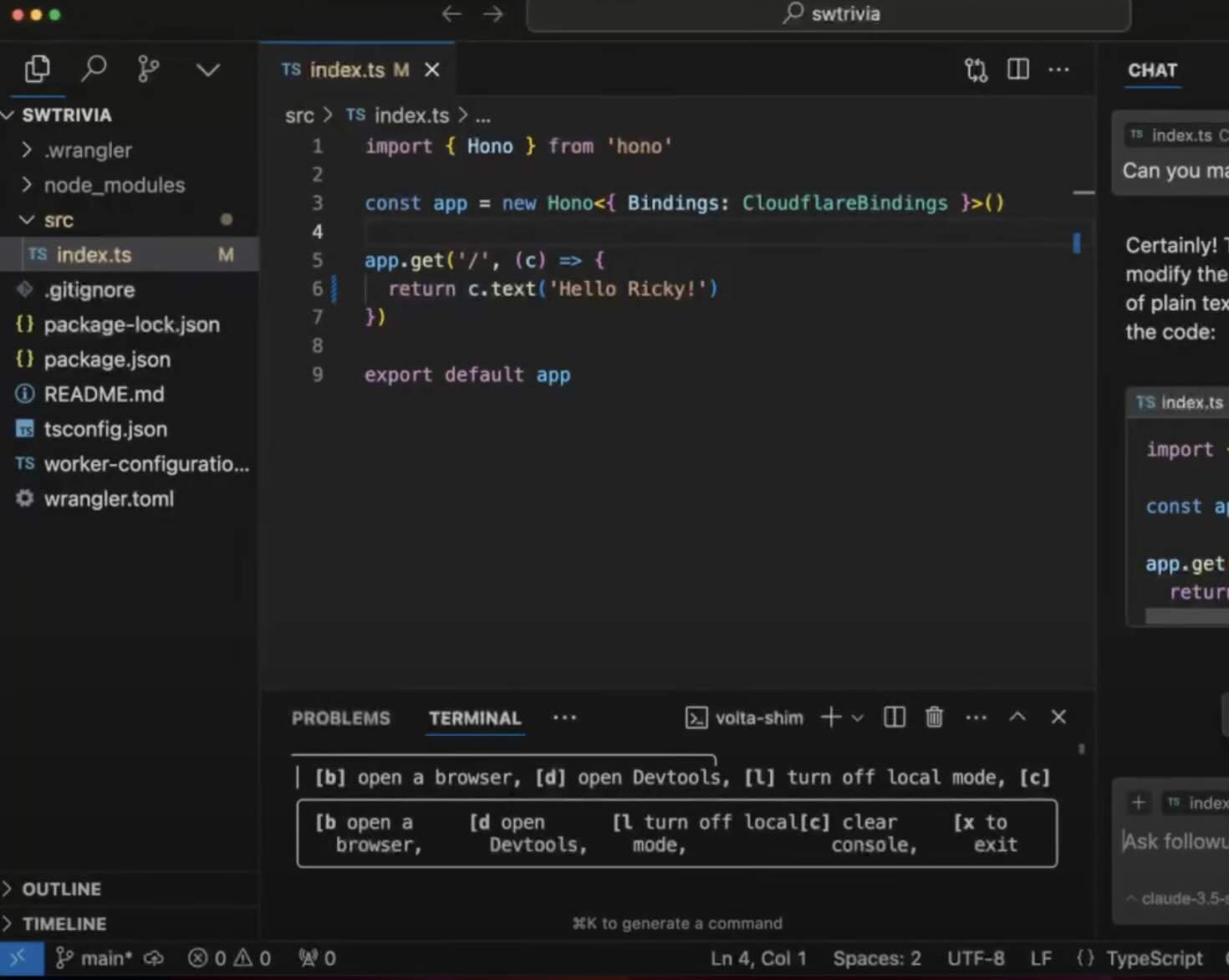
Cursor is a modern code editor built around AI-assisted software development. It combines a familiar development environment with AI tools that can understand a codebase, search project files, edit code, run terminal commands, and help developers work through larger programming tasks.
If you are looking for Cursor download, Download Cursor, Cursor for Windows, or Cursor AI download, the Windows desktop application provides a dedicated environment for AI-assisted coding.
Cursor can be used for web development, Python, JavaScript, TypeScript, C++, Java, Rust, Go, PHP, and many other programming languages.
The Cursor for Windows application provides a desktop coding environment for Windows 10 and later.
The current Windows download page provides:
- Windows x64 System
- Windows x64 User
- Windows ARM64 System
- Windows ARM64 User
This allows Cursor to run on both traditional x64 PCs and compatible Windows ARM devices.
| Feature | Description |
|---|---|
| AI Code Editor | Modern development environment with integrated AI tools |
| Cursor Agent | AI assistant for coding and project tasks |
| Codebase Search | Find and understand relevant files and code |
| Code Editing | Ask AI to modify existing project files |
| Terminal | Run commands directly from the development environment |
| Plan Mode | Create and review an implementation plan before coding |
| Autocomplete | AI-assisted code completion |
| Debugging | Analyze errors and suggest possible fixes |
| Code Review | Review generated changes and diffs |
| Multi-File Tasks | Work across multiple files in a project |
| Windows Support | Native desktop application for Windows |
Searching for Cursor download for Windows usually refers to the Windows desktop version of the Cursor editor.
The current Cursor download page lists Windows packages for both x64 and ARM64 systems. Users can also choose between system and user installation options.
The official quickstart documentation lists Windows 10 and later with a native .exe installer.
The phrase Download Cursor is commonly used when searching for the Cursor AI code editor.
After installing the application, you can open a project folder and begin using Cursor's editor, AI assistant, code search, and development tools.
Cursor is designed to work as a complete coding environment rather than simply a separate AI chat application.
Cursor AI combines traditional code editing with AI-assisted development.
Instead of switching between a code editor and an external chatbot, developers can work directly inside their project while asking AI to:
- Explain code
- Find relevant files
- Suggest improvements
- Write functions
- Refactor code
- Debug problems
- Create new files
- Modify existing files
- Review changes
- Run development commands
Cursor keeps the familiar workflow of a modern source-code editor while adding AI capabilities throughout the development process.
This makes it useful for both experienced developers and people learning programming.
You can open a project, inspect the existing codebase, ask questions about the architecture, and then request specific changes.
Cursor Agent is the AI assistant built into Cursor.
Agent can search a codebase, edit files, execute terminal commands, and work through complex coding tasks.
For example, you can ask Agent to:
- Explain a project
- Find a bug
- Add a feature
- Refactor a module
- Update dependencies
- Create tests
- Modify several files
- Investigate an error
- Review an implementation
Agent can inspect the project and use available development tools as it works.
Cursor supports an agentic coding workflow where you describe a programming goal and the AI works through the necessary steps.
The workflow can include:
- Understanding the request
- Searching the project
- Identifying relevant files
- Planning changes
- Editing code
- Running commands
- Reviewing results
- Checking the final changes
This approach can be useful for larger programming tasks where several files or components need to be coordinated.
Plan Mode is designed for larger changes where you want to understand the proposed approach before code is written.
Cursor can research the codebase, identify relevant files, ask questions about requirements, and create an implementation plan before proceeding.
This can be especially useful for:
- New features
- Large refactoring
- Architecture changes
- Database migrations
- Multi-file changes
- Complex bug fixes
Cursor provides AI-assisted code completion while you work.
Autocomplete can help developers write repetitive code faster and explore possible implementations without leaving the editor.
It can be useful for:
- Functions
- Variables
- Classes
- API calls
- Loops
- Components
- Configuration
- Documentation
One of Cursor's important features is its ability to work with an existing project rather than only individual code snippets.
After opening a project, Cursor can search through relevant files and help explain how different parts of the codebase fit together.
This can make it easier to start working on an unfamiliar repository.
Cursor can assist with many common programming languages and development stacks.
Popular use cases include:
- Python development
- JavaScript development
- TypeScript development
- React applications
- Node.js projects
- C++ development
- Java projects
- Go applications
- Rust projects
- PHP development
- HTML and CSS
- SQL
- Shell scripts
Cursor is useful for Python development, from small scripts to larger applications.
AI assistance can help with:
- Functions
- Classes
- Type hints
- Error handling
- Unit tests
- Refactoring
- APIs
- Data processing
- Project structure
Cursor can also be used for modern web development with JavaScript and TypeScript.
Typical workflows include:
- React
- Next.js
- Node.js
- Express
- Frontend components
- API development
- TypeScript refactoring
- Debugging
- Testing
Cursor provides an environment for building websites and web applications while keeping AI assistance close to the source code.
Developers can use it for:
- HTML
- CSS
- JavaScript
- TypeScript
- React
- Vue
- Next.js
- Node.js
- API development
Cursor can be used alongside Git-based development workflows.
Developers can open repositories, inspect changes, work on branches, review diffs, and use terminal commands as part of their normal development process.
AI assistance can also help explain changes and prepare code modifications before they are committed.
Cursor provides a diff-based workflow for reviewing changes made by Agent.
After an AI-assisted edit, developers can inspect what changed and decide whether the modification should remain in the project.
This keeps the developer in control of the final code.
Cursor includes terminal capabilities that allow development commands to be run from within the coding environment.
This can be useful for:
- Installing dependencies
- Running tests
- Starting development servers
- Building projects
- Running scripts
- Checking code
- Working with Git
Cursor also provides a command-line interface for interacting with AI agents directly from a terminal.
The Cursor CLI can be used to write, review, and modify code, including interactive workflows and automation.
Windows users can install the CLI through PowerShell and launch the agent command from a terminal.
Cursor extends beyond the desktop editor with cloud-based agent workflows.
Cloud Agents can work on tasks from a browser and allow developers to start agent workflows while working elsewhere.
This can be useful for larger tasks that do not need to be completed entirely inside the local editor.
Cursor supports Windows 10 and later.
The official quickstart documentation lists Windows 10+ with a native .exe installer.
Windows 10 users can install Cursor, open a project folder, sign in, and start using the editor.
Cursor works on Windows 11 and provides the same core desktop development workflow available on supported Windows installations.
Windows 11 users can choose between the available x64 or ARM64 installers depending on their hardware.
The Windows download page provides x64 packages for Cursor.
x64 is suitable for the majority of traditional Intel and AMD Windows PCs.
There are separate system and user installation options, allowing users to choose the installation method that fits their Windows setup.
Cursor also provides ARM64 packages for Windows.
This allows the desktop application to be installed on supported Windows ARM computers without relying on an x64-only package.
Cursor is designed primarily around software development.
It can help developers with:
- New projects
- Existing repositories
- Debugging
- Refactoring
- Testing
- Documentation
- Code review
- Architecture
- Feature development
- Maintenance
Cursor can also be useful for students learning programming.
AI assistance can help explain unfamiliar concepts, analyze examples, identify mistakes, and provide guidance while working on programming exercises and projects.
The most useful workflow is to use AI explanations as a learning aid while still reviewing and understanding the generated code.
Developers who are new to programming can use Cursor to ask questions about project structure, programming concepts, syntax, errors, and development tools.
Agent can explain a codebase and point to important files and modules, which can help new developers understand an unfamiliar project.
Experienced developers can use Cursor for larger engineering tasks where understanding an existing repository and coordinating multiple changes is important.
Agent, Plan Mode, terminal tools, code search, and review workflows can be combined into a structured development process.
The Cursor desktop app is available for Windows, macOS, and Linux. The current Windows releases include both x64 and ARM64 packages.
The desktop application provides the main editor environment, while Cursor also offers terminal and web-based agent workflows.
Cursor can be useful if you want:
- An AI-powered code editor
- AI assistance directly inside the development environment
- Codebase-aware conversations
- AI code completion
- Automated code edits
- Terminal integration
- Agent workflows
- Plan Mode
- Code review tools
- Windows x64 support
- Windows ARM64 support
- CLI access
Cursor is an AI-powered code editor designed to help developers understand, write, modify, and review software.
Yes. Cursor provides a native Windows desktop application. The current download page lists Windows x64 and ARM64 packages.
Yes. Cursor's quickstart documentation lists Windows 10 and later as supported.
Yes. Cursor supports Windows 10 and later, including Windows 11.
Yes. Windows ARM64 packages are available alongside x64 packages.
Cursor Agent is an AI assistant that can search project files, edit code, run terminal commands, and work through programming tasks.
Plan Mode allows Cursor to research a project and prepare an implementation plan before making larger code changes.
Yes. You can open an existing project folder and use Cursor's AI tools to understand and modify the codebase.
Yes. Cursor includes terminal functionality and also provides a separate Cursor CLI for AI-assisted terminal workflows.
Yes. Cursor can be used for Python development, debugging, refactoring, testing, and other programming workflows.
Yes. Cursor can assist with JavaScript, TypeScript, React, Node.js, and other web development technologies.
- Cursor download
- Download Cursor
- Cursor for Windows
- Cursor AI download
- Cursor Windows download
- Cursor AI
- Cursor code editor
- Cursor IDE
- Cursor desktop app
- Cursor for PC
- Cursor Windows 10
- Cursor Windows 11
- Cursor x64
- Cursor ARM64
- Cursor Agent
- Cursor Agent Windows
- Cursor Plan Mode
- Cursor AI coding
- AI code editor
- AI programming tool
- AI coding assistant
- AI developer tool
- AI IDE
- Cursor Python
- Cursor JavaScript
- Cursor TypeScript
- Cursor React
- Cursor Node.js
- Cursor CLI
- Cursor Cloud Agents
Cursor Cursor AI Cursor IDE Cursor Download Cursor for Windows Cursor Windows Cursor Agent AI Code Editor AI Coding AI Programming Code Editor Windows 10 Windows 11 x64 ARM64 Python JavaScript TypeScript React Node.js Developer Tools
Password: gitlab
This page is an independent software information and download resource. Cursor is developed by Anysphere, Inc. This page is not affiliated with or endorsed by Anysphere.
Always review the applicable software terms and use the appropriate official distribution channel when required.