





LynxPrompt is a self-hosted web app that turns one set of AI coding rules into the file each tool reads: AGENTS.md, CLAUDE.md, .cursor/rules/, Copilot instructions, 30 rule-file formats in all, plus slash commands for six of them. A wizard writes the rules from your stack, blueprints let a team share them with variables, and the lynxp CLI and the VS Code extension put the files into every repository. Run it with Docker Compose or the Helm chart, or try the hosted instance at lynxprompt.com first.
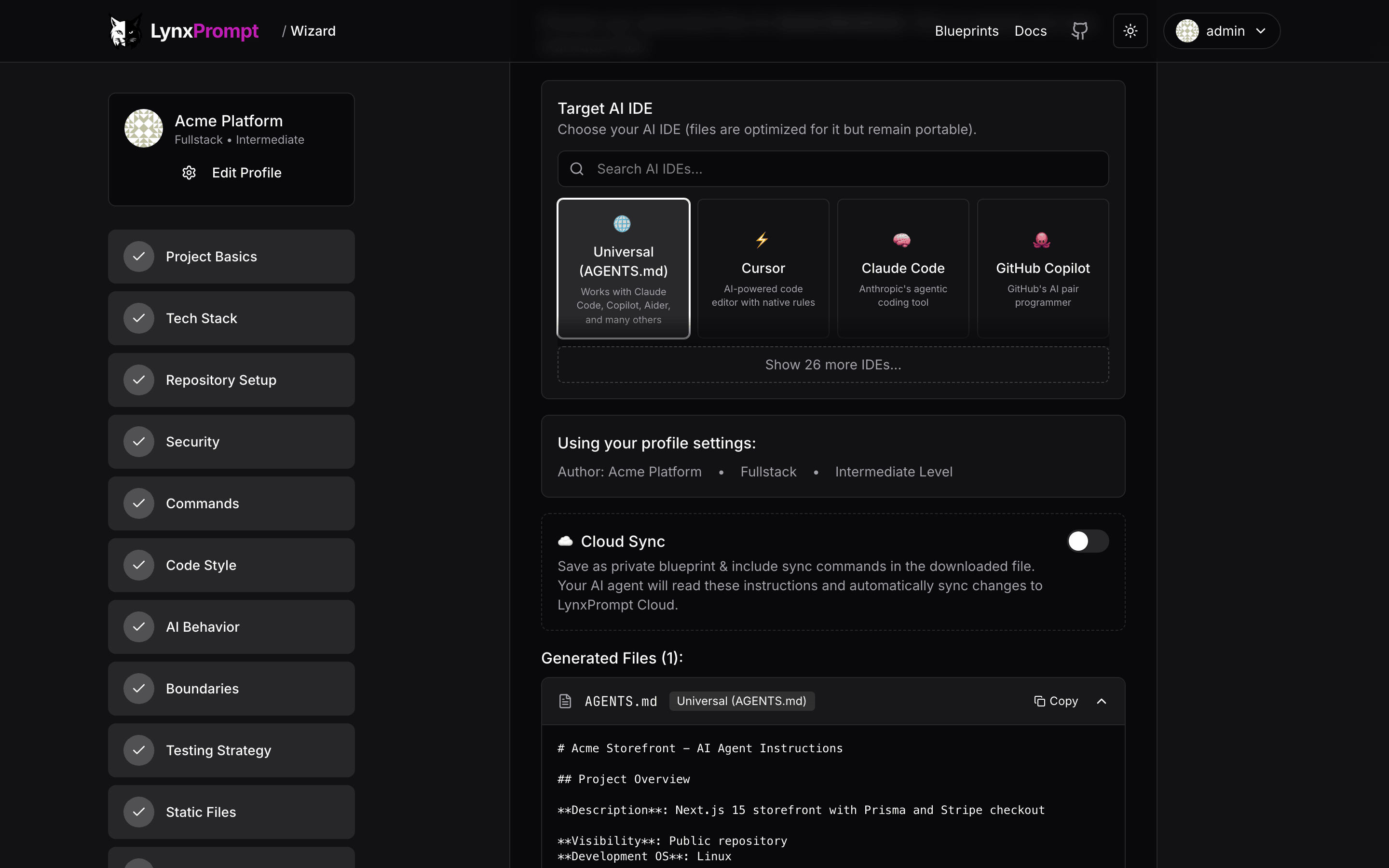
- One set of rules becomes the rule file of 30 tools:
AGENTS.md, Cursor, Claude Code, Copilot, Windsurf, Zed, Aider, Gemini CLI, Cline, Roo Code, Amazon Q, JetBrains Junie and more, plus slash commands for six of them. - A 12-step wizard on the web or in the terminal builds the rules from your project, stack, commands, code style and boundaries;
lynxp analyzereads an existing repository first. - Blueprints carry
[[VARIABLE|default]]placeholders, so one blueprint fits many projects. - Each blueprint is private, shared with a team or public; teams get their own page, and federation shares public blueprints between instances that join.
- Hierarchical
AGENTS.mdfor monorepos, managed from the dashboard, the CLI and the API. - The
lynxpCLI (19 commands:wizard,check,analyze,convert,diff,pull,push,searchand more) and the VS Code extension work against any instance. - Sign in with a magic link, passkeys, GitHub or Google OAuth, or SAML, OIDC and LDAP SSO; each is one environment variable.
- Optional AI editing with your own Anthropic API key; off by default, everything else works without it.
- Docker Compose or Helm, PostgreSQL included, migrations on start, every feature an environment variable.
curl -O https://raw.githubusercontent.com/GeiserX/LynxPrompt/main/docker-compose.selfhost.yml -O https://raw.githubusercontent.com/GeiserX/LynxPrompt/main/docker-compose.mailpit.yml
(umask 077; printf 'NEXTAUTH_SECRET=%s\nDB_PASSWORD=%s\nADMIN_EMAIL=you@example.com\n' "$(openssl rand -base64 32)" "$(openssl rand -hex 24)" > .env)
docker compose -f docker-compose.selfhost.yml -f docker-compose.mailpit.yml up -d
Put your own address in ADMIN_EMAIL, open http://localhost:3000, sign in with it, and read the sign-in link at http://localhost:8025 (Mailpit, a local mailbox for trying it out); the dashboard opens and that account is the superadmin. For a real deployment set the SMTP_* variables in .env and drop the Mailpit file; the image is amd64 and runs under emulation on ARM. Helm, the CLI and the other install channels are in Getting started.
The documentation lives at geiserx.github.io/LynxPrompt.
- Getting started: Docker Compose, the first sign-in, the Helm chart, every install channel
- Configuration: every environment variable and its default
- Usage: the web app, the CLI, the VS Code extension and the API
- Features: the full list of formats and what each feature does
- How it works: components, sign-in, what the CLI talks to, the security model
- Troubleshooting: the sign-in mail, ARM hosts, ports, what to include in a bug report
- Development: stack, local setup, the docs build
The product manual for using LynxPrompt (the wizard, blueprints, the CLI and API reference) is a separate site at lynxprompt.com/docs.
| Project | Type | Description |
|---|---|---|
| lynxprompt-mcp | MCP server | Browse and manage blueprints from AI assistants over the Model Context Protocol |
| lynxprompt-vscode | VS Code extension | Pull, diff and push AI config files without leaving the editor |
| homebrew-lynxprompt | Homebrew tap | brew install GeiserX/lynxprompt/lynxprompt on macOS and Linux |
| lynxprompt-action | GitHub Action | Sync, validate, generate and diff AI IDE configuration files in CI |