
With a fluid canvas, customizable pens, a precision eraser, dynamic cursors, guide patterns, and a suite
of export options (PNG, SVG, copy, print, share), Markhand adapts to your hand, not the other way around.



Created by Bilal Malik
Follow on Github bilalmlkdev
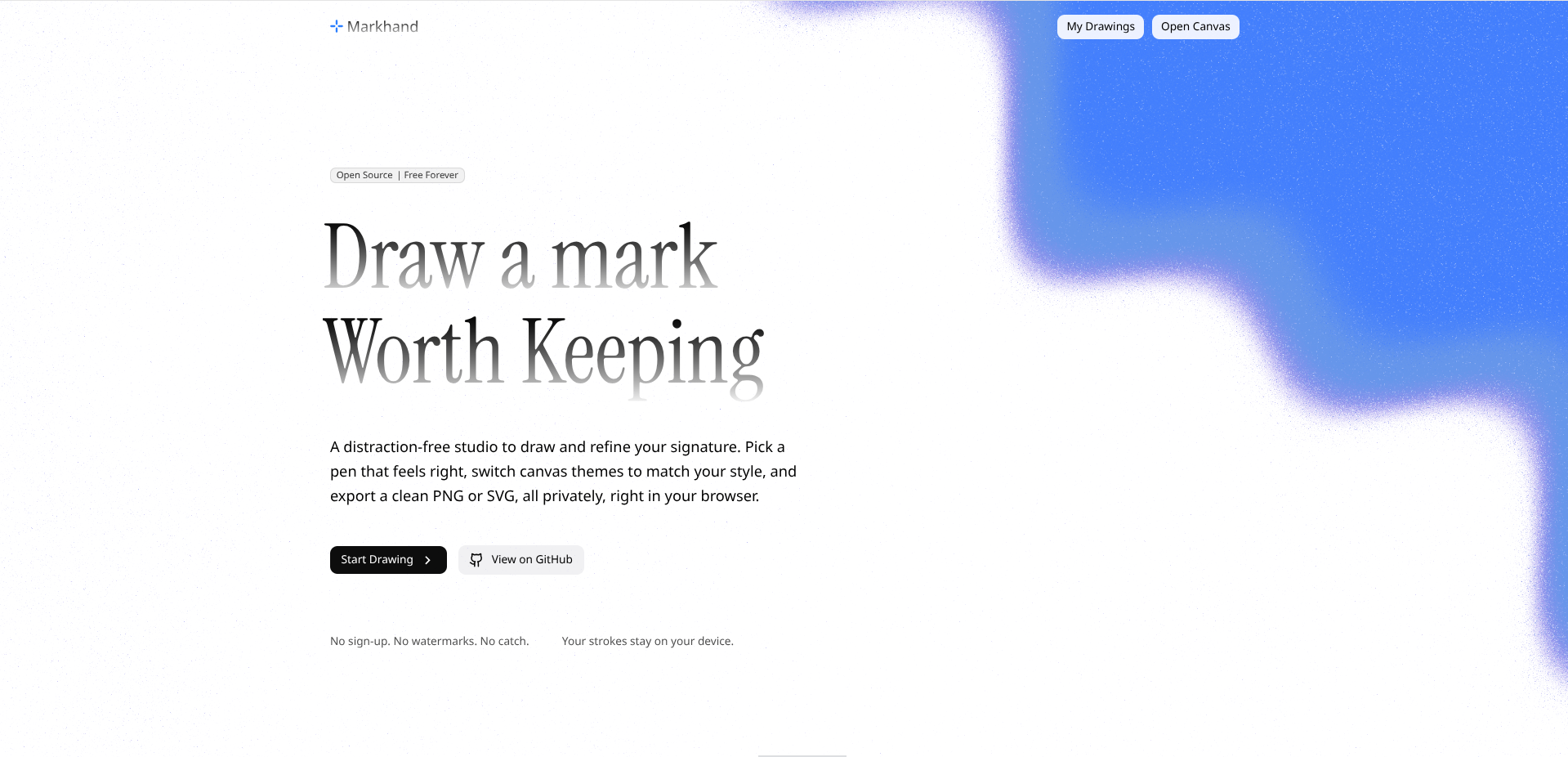
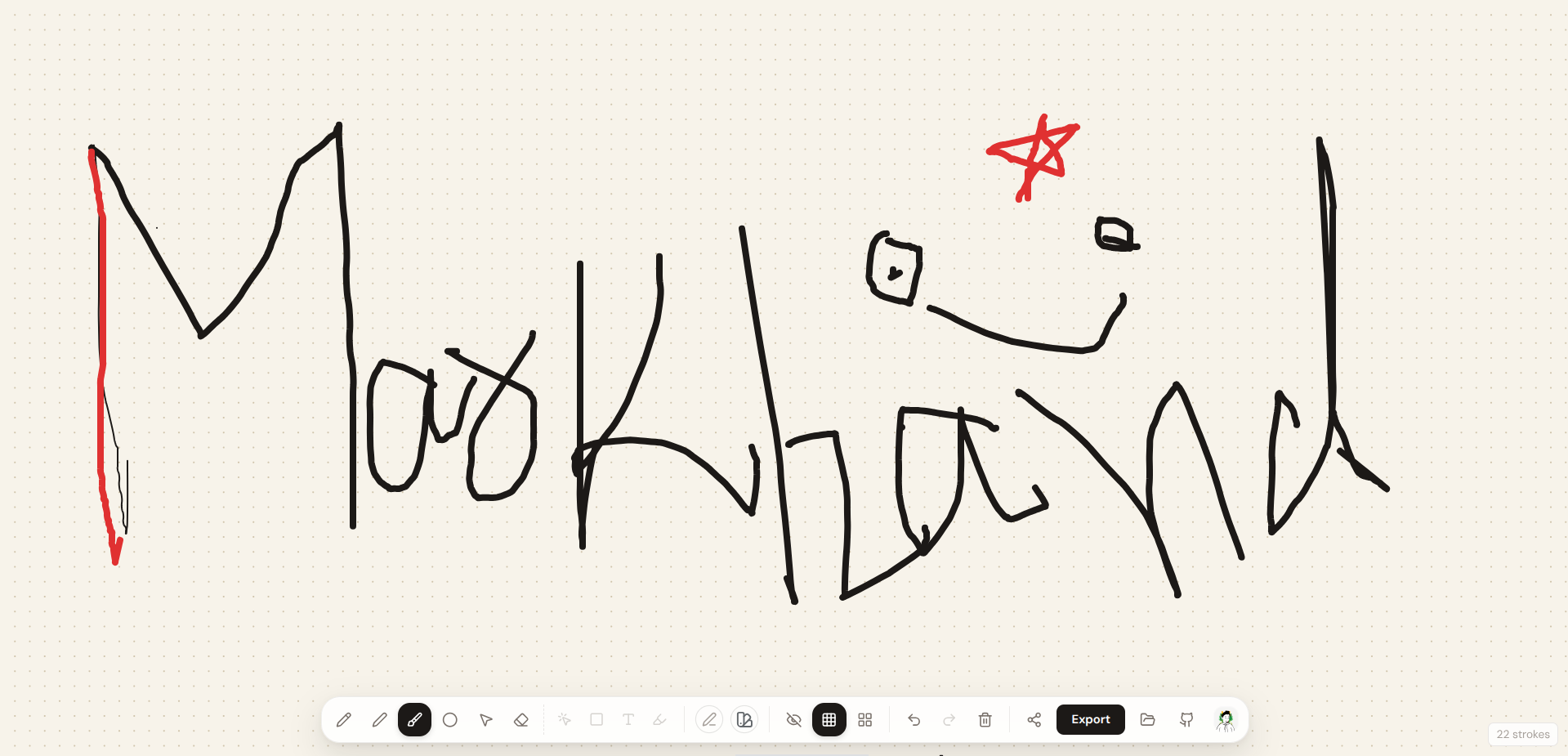
Markhand is an open-source open-source drawing studio for sketching, practicing, annotating, and exporting hand-drawn work with precision and a deliberately quiet interface. It combines a fluid drawing canvas, customizable tools, and a per-drawing URL system, all wrapped in a clean, responsive interface.
Unlike many online drawing tools that rely on servers or require accounts, Markhand runs entirely inside your browser. Every stroke is saved locally using localStorage, and every drawing gets its own dedicated URL. Clear the canvas, and you're instantly given a fresh, shareable link while previous drawings remain accessible through the My Drawings gallery.
Whether you're sketching an idea, practicing a signature, annotating something, or simply drawing for the sake of it, Markhand keeps the workspace distraction-free and puts the canvas first.
- Drawing · Freehand drawing, multi-stroke support, a responsive canvas, and automatic ink smoothing so strokes read as natural curves instead of raw polylines.
- Erasing · A real pixel eraser - drag over any part of a stroke to remove just that segment, splitting the stroke around the gap instead of wiping the whole canvas.
- Customization · 8 preset colors per theme (light and dark palettes), a custom color picker, 1px–12px stroke width, and per-tool default line weights (Crosshair, Pencil, Dot, Brush, and Pen each start at a different natural weight, like a real pen set).
- Cursor & Guides · Five cursor styles with Dot Grid, Grid, or no guide - all accessible from a single unified toolbar.
- Themes · Six canvas themes (Pure White, Default, Warm, Cool, Paper, Sky). Switching themes automatically remaps your existing strokes' colors so ink drawn on one background stays visible on the next, instead of vanishing into it.
- Editing · Unlimited Undo, Redo, and smart canvas reset with a new drawing ID.
- Export · PNG (Theme, White, Transparent), SVG, clipboard copy, print-ready output, and shareable URLs that encode the drawing itself - no account or server needed, and no dead links.
- My Drawings Gallery · Every saved drawing is tracked with a thumbnail, stroke count, and last-edited time. Rename or delete drawings, or jump back into any of them at any time.
- Guided Onboarding · A real spotlight-style product tour (powered by react-joyride) walks first-time users through the canvas, toolbar, style panel, and export options - advance with Enter, dismiss with Escape.
- Coming Soon · Select/transform, geometric shapes, editable text, and a highlighter are surfaced in the editor as clearly marked upcoming tools without pretending they are active yet.
- Storage · Per-drawing
localStorage, persistent preferences, and completely offline operation. - Keyboard & Mobile · Keyboard shortcuts (
1–5for cursor tools,Efor eraser,Gto cycle guides,Ctrl/Cmd+Z/Ctrl+Shift+Zfor undo/redo,Deleteto clear), a responsive layout, and a collapsible mobile menu.
Markhand is built around a clean separation between the drawing engine, state management, and the user interface.
Instead of tightly coupling canvas rendering with the UI, the application centralizes drawing logic inside a custom useDraw hook. This hook manages stroke history, undo/redo stacks, erasing, theme-aware recoloring, and canvas operations, while the React interface simply renders the current state and passes user interactions back to the engine. This separation keeps the codebase predictable, testable, and easy to extend.
Routing is handled by React Router. The landing page lives at /, each drawing is assigned a unique ID through the URL (/dashboard/:id), and all saved drawings are listed at /drawings. Whenever the canvas is cleared, a new ID is generated and the user is seamlessly redirected while preserving previous drawing data inside localStorage. A lightweight drawing registry (also in localStorage) tracks metadata - name, stroke count, theme, and timestamps - for every drawing that has content, powering the My Drawings gallery without duplicating stroke data.
The entire application runs locally inside the browser without requiring any external APIs or server-side processing. Every stroke is rendered directly onto the HTML5 Canvas, ensuring fast, smooth, and privacy-friendly performance.
Share links don't point at a server-hosted drawing - they encode the drawing directly into the URL using a compact versioned payload and URL-safe base64 encoding. Point coordinates are quantized to a tenth of a pixel and implementation-only stroke IDs are omitted, keeping links smaller without requiring a backend. Markhand also validates shared payloads and rejects oversized or malformed data instead of blindly loading arbitrary JSON.
Ink colors are organized as paired light-background and dark-background palettes. When you switch canvas themes, Markhand checks the new background's lightness and remaps any stroke (and the active pen color) that was drawn using a color from the "wrong" palette to its counterpart in the correct one - so black ink drawn on a white background automatically becomes white ink when you switch to a dark background, instead of disappearing.
The project follows a clean React architecture where responsibilities are separated into reusable modules.
markhand
├── public
├── src
│   ├── components
│   │   ├── canvas
│   │   ├── controls
│   │   ├── exports
│   │   ├── gallery
│   │   ├── landing
│   │   ├── layout
│   │   └── ui
│   ├── hooks
│   ├── lib
│   ├── types
│   ├── App.tsx
│   ├── main.tsx
│   └── index.css
├── package.json
└── vite.config.ts
components/canvas/· Drawing canvas and the unified bottom toolbar (cursor, eraser, guides, undo/redo/clear).components/controls/· Pen and theme controls used inside the style panel.components/exports/· Export modal (PNG/SVG/copy/print).components/gallery/· My Drawings gallery page and drawing thumbnails.components/landing/· The marketing landing page.components/layout/· share modal, instructions modal, product tour, and the first-load dashboard loader.components/ui/· Shared UI components like Button, ColorPicker, DockPopover, Slider, and tooltips.hooks/· Custom hooks for drawing/erasing (useDraw) and keyboard shortcuts.lib/· Canvas utilities, ink smoothing, theme-aware color palette, storage/registry, sharing, and cursor helpers.types/· Shared TypeScript definitions.
- Pure Canvas Rendering · Canvas functions remain side-effect free.
- Client-Side Processing · Everything runs entirely in the browser.
- Per-Drawing Persistence · Every drawing has isolated local storage, tracked in a lightweight registry.
- Reusable Components · Modular React components keep the UI consistent.
- Extensible Architecture · New themes, guides, and cursors are easy to add.
Markhand is designed to remain responsive even while handling hundreds of strokes.
- Native Canvas API for hardware-accelerated rendering.
- Memoized State to reduce unnecessary re-renders.
- Local Persistence for instant loading and saving.
- Client-Side Processing with zero network requests during drawing and exporting.
Contributions of every size are welcome.
Whether you're fixing a typo, improving accessibility, adding a new theme, optimizing performance, or introducing an entirely new feature, every contribution helps make Markhand better.
Before opening a pull request, take a moment to understand how the drawing engine is organized. Most new features only require a small amount of code thanks to the project's modular architecture.
Creating a new canvas theme is intentionally straightforward.
Add a new entry inside src/lib/canvas.ts's themes object, and add its key to the CanvasTheme union in src/types/index.ts:
export const themes: Record<CanvasTheme, ThemeConfig> = {
  // existing themes...

  sunset: {
    name: 'Sunset',
    bg: '#2b1a1f',
    dot: '#5c3a42',
    surface: '#3a2329',
  },
};Once registered, the new theme automatically appears in the theme picker, and the theme-aware ink recoloring described above will correctly treat it as light or dark based on its bg value - no additional configuration is required.
This project is licensed under the MIT License.
MIT License

Copyright (c) 2026 Bilal Malik

Permission is hereby granted, free of charge, to any person obtaining a copy
of this software and associated documentation files (the "Software"), to deal
in the Software without restriction, including without limitation the rights
to use, copy, modify, merge, publish, distribute, sublicense, and/or sell
copies of the Software, and to permit persons to whom the Software is
furnished to do so, subject to the following conditions:

The above copyright notice and this permission notice shall be included in all
copies or substantial portions of the Software.

THE SOFTWARE IS PROVIDED "AS IS", WITHOUT WARRANTY OF ANY KIND, EXPRESS OR
IMPLIED, INCLUDING BUT NOT LIMITED TO THE WARRANTIES OF MERCHANTABILITY,
FITNESS FOR A PARTICULAR PURPOSE AND NONINFRINGEMENT. IN NO EVENT SHALL THE
AUTHORS OR COPYRIGHT HOLDERS BE LIABLE FOR ANY CLAIM, DAMAGES OR OTHER
LIABILITY, WHETHER IN AN ACTION OF CONTRACT, TORT OR OTHERWISE, ARISING FROM,
OUT OF OR IN CONNECTION WITH THE SOFTWARE OR THE USE OR OTHER DEALINGS IN THE
SOFTWARE.