Repository navigation
Home
当前正式版 / Current stable: v4.6.1 · 2026-10-29
用于 Windows 的 Mod 仓库、部署、浏览下载与预设管理工具。完整解压并保留 WinUI3 目录,使用根目录 IntegratedModManager.exe 启动。需要 Windows 10 1809 或更高版本、x64 和 .NET 8 x64 运行时。
A Windows tool for Mod repositories, deployment, browsing, downloads and presets. Fully extract the package, keep WinUI3, and run the root IntegratedModManager.exe. Requires Windows 10 1809 or later, x64, and the .NET 8 x64 runtime.
| 内容 / Topic | 中文 | English |
|---|---|---|
| 当前版本与已知问题 / Release and known issues | 4.6.0 正式版 | Stable 4.6.0 |
| 安装、升级与校验 / Install, upgrade and verify | 升级到 4.6.0 | Upgrade to 4.6.0 |
| 快速上手 / Quick start | 快速上手 | Quick Start |
| 完整说明 / Full guide | 用户手册 | User Guide |
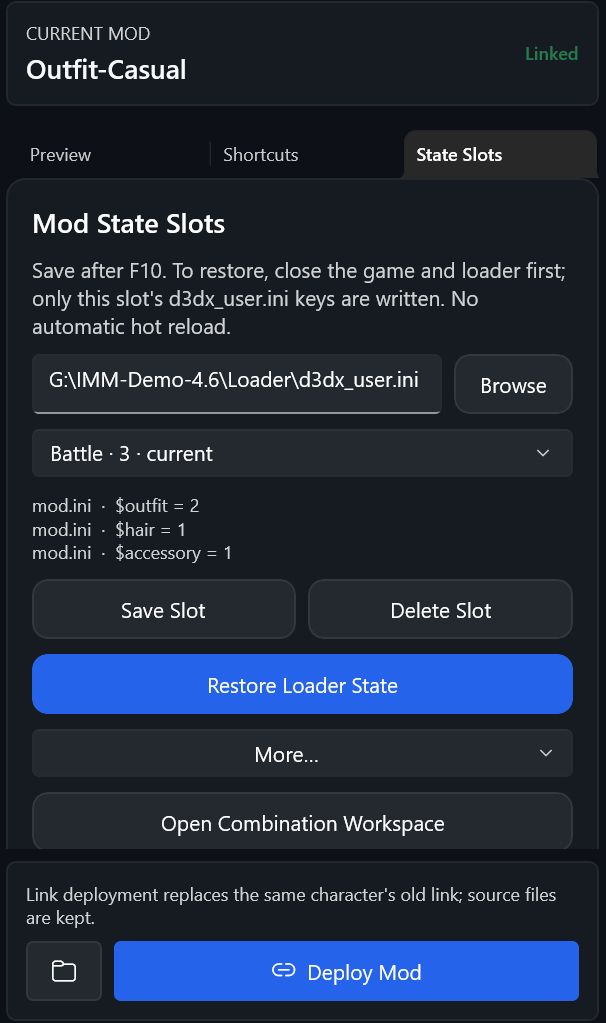
| 仓库、组合与单 Mod 状态 / Repository, combinations and single-Mod state | 组合与状态预设 · 状态槽位 · 组合预设 | Combination and State Presets · State Slots · Combination Presets |
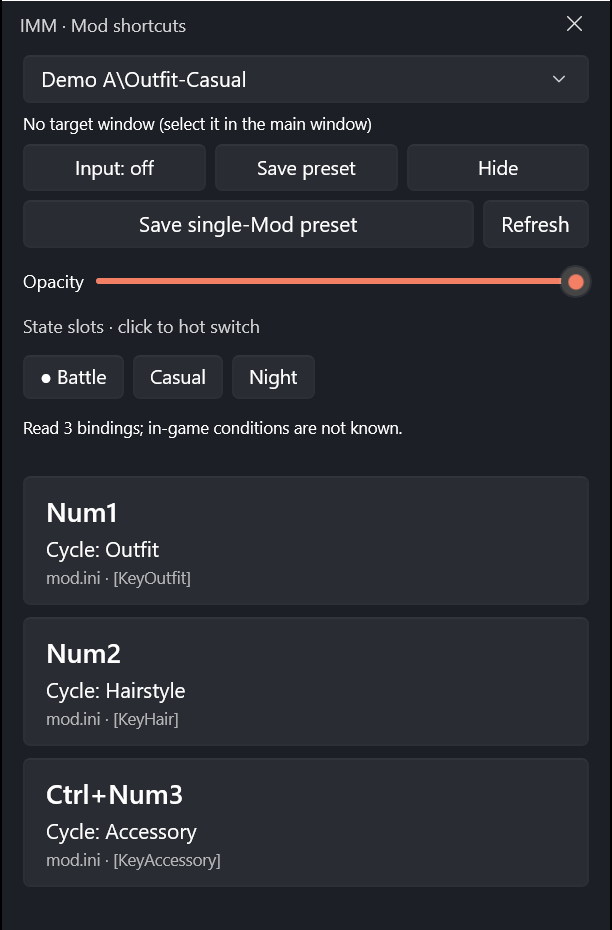
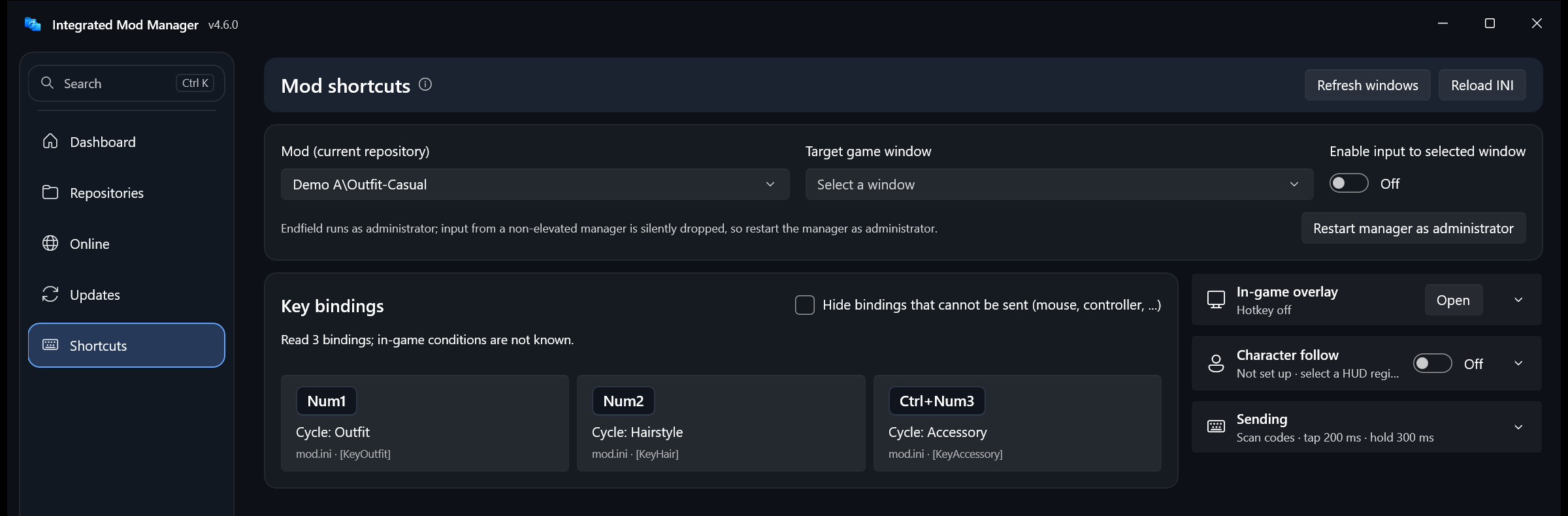
| 快捷键、浮窗与角色跟随 / Shortcuts, overlay and character following | 快捷键与浮窗 | Shortcut Panel and Overlay |
| 在线浏览与下载 / Browse and download | 浏览与下载 | Browse and Download |
| 内置终末地启动 / Integrated Endfield launch | 终末地启动 | Endfield Launch |
下载 / Download · 软件结构 / Software structure
-
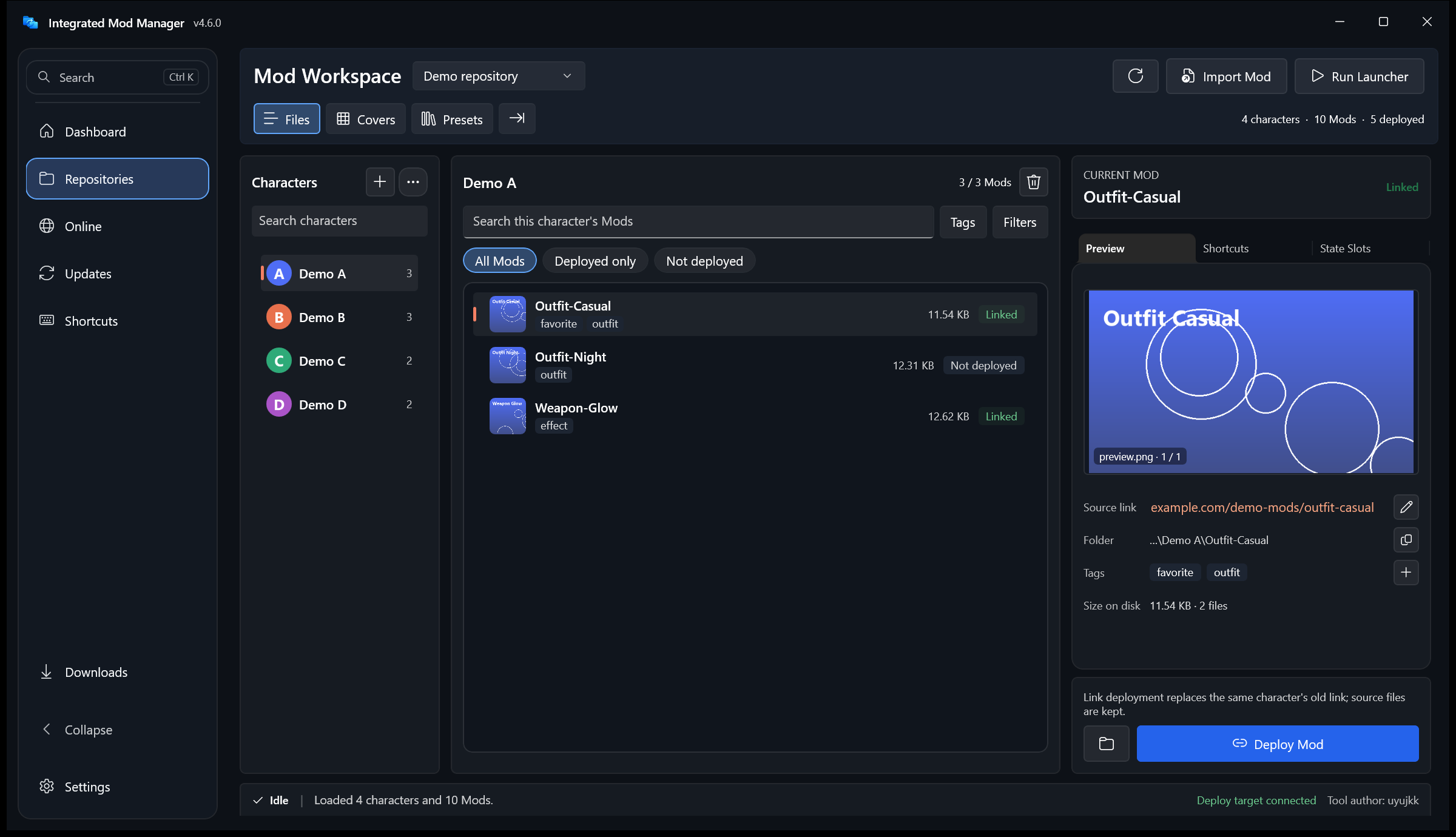
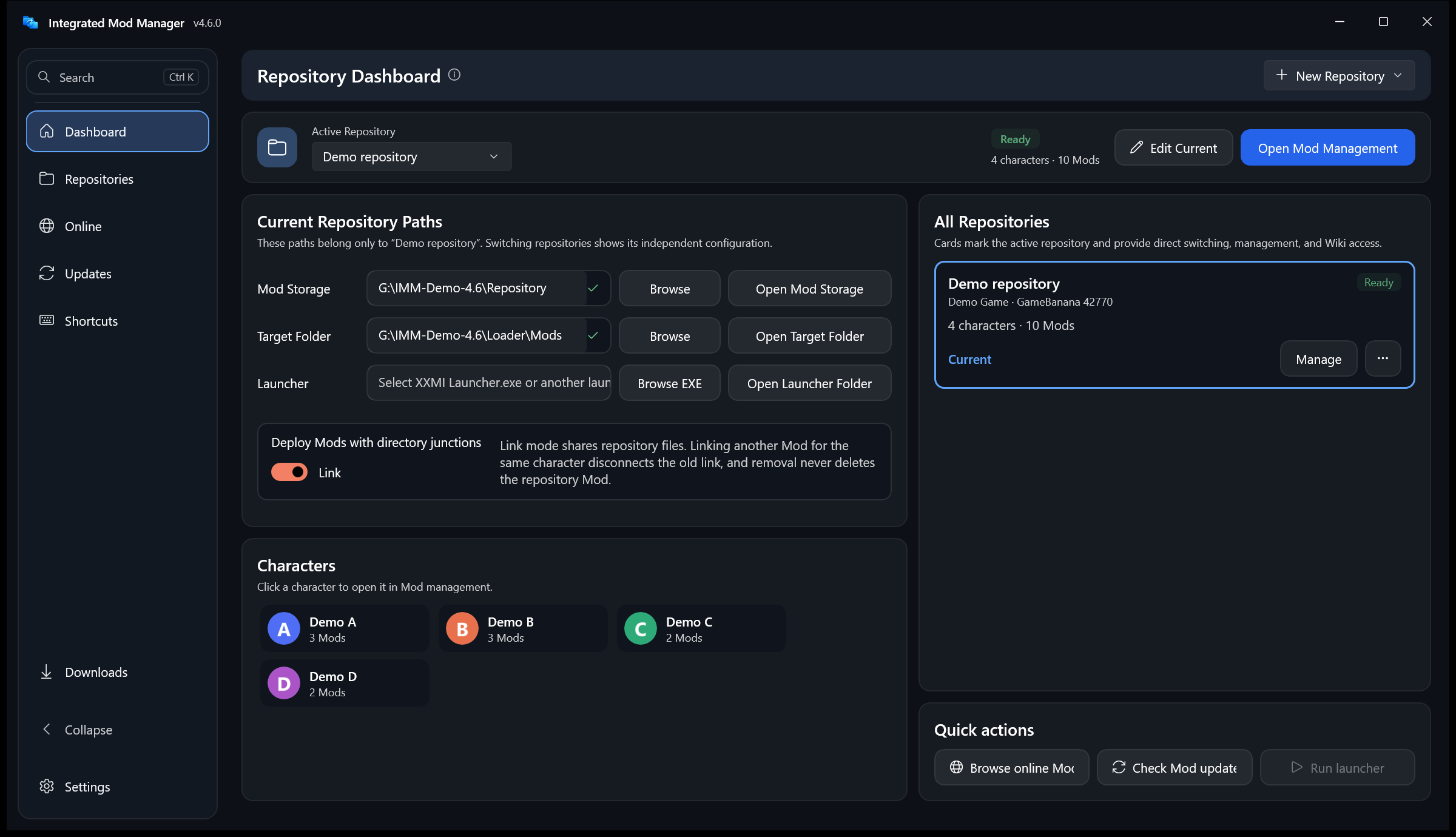
全部页面重新设计:导航可以收起成图标栏;
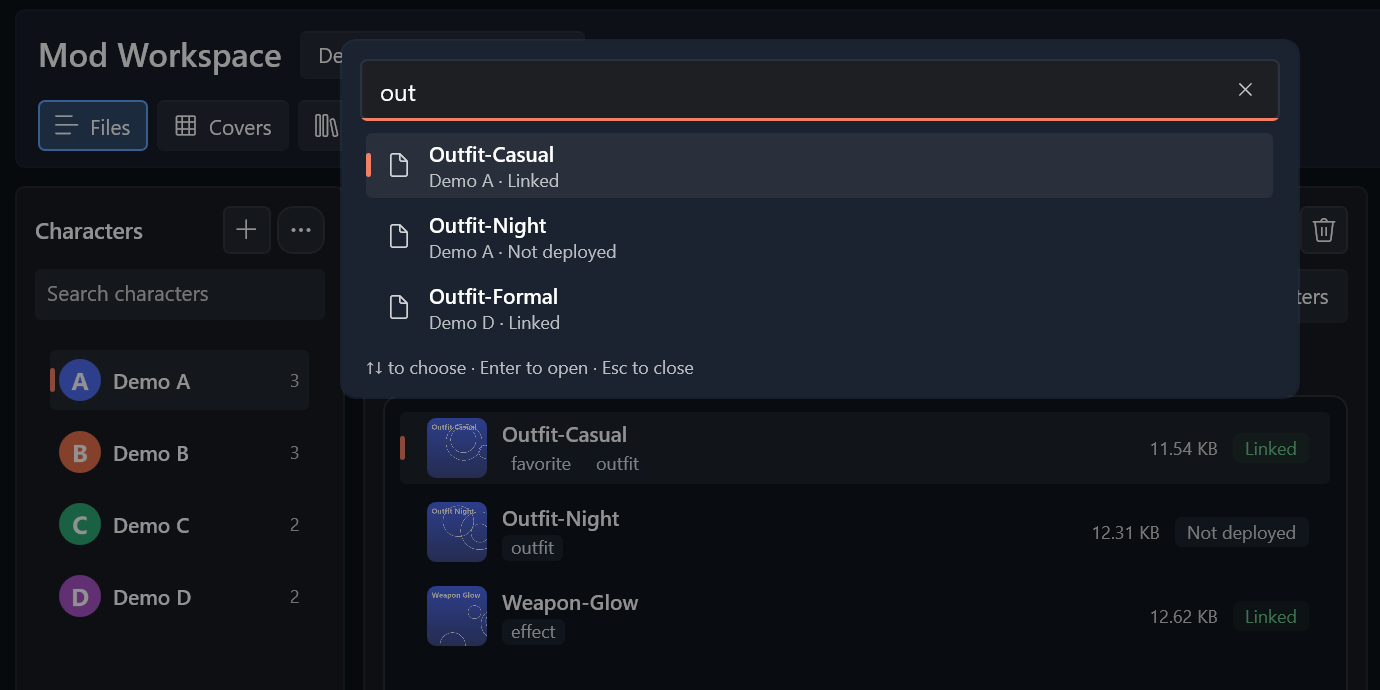
Ctrl+K命令面板搜索页面、当前仓库的角色和 Mod;下载进度显示在导航底部。 - Mod 仓库:列表显示缩略图、标签、快捷键数量、大小和部署状态,可按状态筛选;详情信息表可编辑来源和标签;新仓库显示设置步骤。
- 在线、快捷键与设置:卡片统一样式,详情在抽屉中打开;按键以键帽样式显示,功能分成可折叠模块;设置两栏总览,主题可跟随系统。
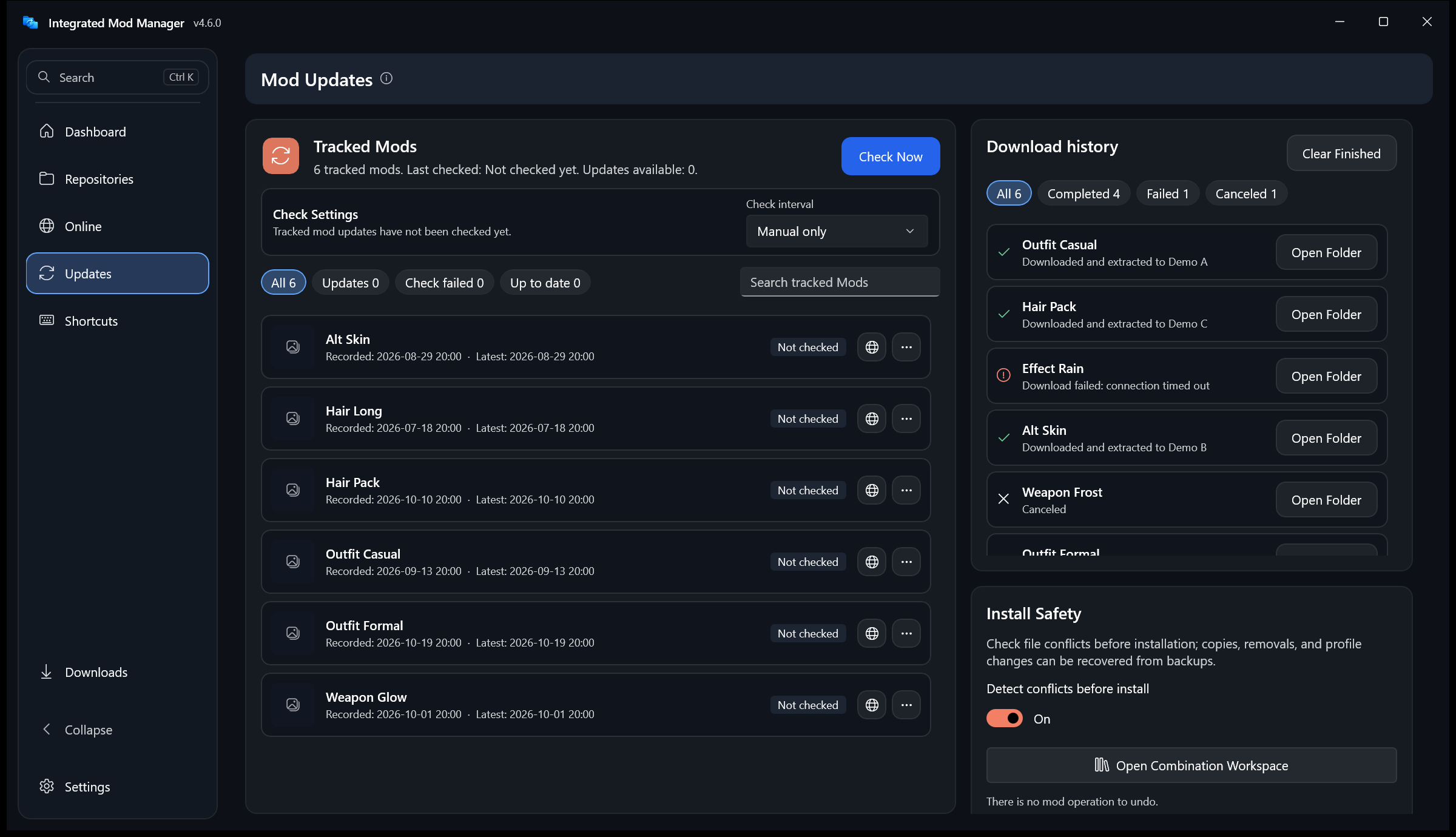
- 更新页:铺满窗口;已追踪 Mod 和下载历史改为可筛选、可搜索的紧凑列表。
- 本地预览版不再关闭软件更新检查;从预览版换回正式版见升级到 4.6.0。
- 4.6.1:新 Mod 自动建“默认”槽位;浮窗保存时加载器没有新写入,可以选择读取现有文件;修复一批排版和显示问题;设置页新增反馈 QQ 群。
-
Every page redesigned: a collapsible navigation, a
Ctrl+Kcommand palette over pages, characters and Mods, and download progress at the foot of the navigation. - Mod repository: rows with thumbnails, tags, key counts, size and deploy state, state filters, an editable details table, and setup steps for a new repository.
- Online, shortcuts and settings: one card style with a details drawer; key-cap bindings with collapsible modules; a two-column settings overview with a follow-Windows theme.
- Updates page: fills the window; tracked Mods and download history are compact lists with filters and search.
- Local preview builds no longer turn off app update checks; to move back from one, see Upgrade to 4.6.0.
- 4.6.1: new Mods get a "Default" slot; when the loader writes nothing new, the overlay lets you save from the existing file; layout and display fixes; Settings lists the feedback QQ group.
详细变化 / Details: 4.6.1 · 4.6.0 · 4.5.2 · 4.5.1 · 4.5.0
截图来自 4.6.0 发布包的隔离副本和模拟演示仓库(占位角色、生成的头像与预览图、演示 Mod),不代表实机游戏验证。Screenshots come from an isolated copy of the 4.6.0 package with a synthetic demo repository (placeholder characters, generated avatars and previews, demonstration Mods); they are not real-game validation.
| 内容 / Area | 当前范围 / Current scope |
|---|---|
| 仓库、复制与联接、下载、更新、备份 / Repositories, deployment, downloads, updates, backups | 稳定功能 / Stable |
| 组合预设、恢复到加载器 / Combination presets and loader state restore | 稳定功能;匹配数值型 global persist / Stable for matching numeric global persist values |
| 4.6 新界面 / 4.6 interface | 中文浅色主题已检查;英文、深色主题部分页面未逐一检查 / Checked in Chinese with the light theme; some English and dark-theme pages not each checked |
| 浮窗保存前发送 F10 / F10 before overlay capture | 模拟加载器已验证;尚无真实游戏自动化验证 / Simulated-loader verification; no automated real-game validation yet |
| F10 热应用、在线自动翻译 / F10 hot apply and online auto-translation | 实验功能 / Experimental |
| 变体文件导入 / Variant-file import | 待验证;尚未使用真实导出文件验证 / Unverified with real exported files |
| 在线详情偶发闪退 / Occasional online-details crash | #15 仍未复现 / Still unreproduced |
保存与恢复使用不同流程。 浮窗保存前发送 F10,让加载器先落盘;普通离线恢复前应退出游戏和加载器。实验热应用会在发送 F10 时短暂把参数文件设为只读。终末地接收按键需要管理器以管理员身份运行。详见预设指南。
Capture and restore use different flows. Overlay capture sends F10 to flush loader state. Exit the game and loader for ordinary offline restoration. Experimental hot apply temporarily makes the parameter file read-only around F10. Endfield input requires an elevated manager. See the preset guide.
第三方 Mod 与加载器可能导致账号处罚;文件或模拟测试不构成所有游戏兼容、画面效果或账号安全保证。发布包整体按 AGPL-3.0-only 分发,源文件的单独授权范围见许可证说明。
Third-party Mods and loaders may lead to account penalties. File or simulated tests do not guarantee every game's compatibility, rendering or account safety. The package as a whole is AGPL-3.0-only; see Licensing for individual source licenses.
下列页面保留各版本当时的行为和结论;“不发送 F10”等描述适用于旧版。当前操作请使用上方 4.6 文档。
These pages preserve their original behavior and findings. Statements such as “does not send F10” describe older releases. Use the 4.6 guides above for current operation.
- 4.5.2 正式版 · Stable 4.5.2 · 升级到 4.5.2 · Upgrade to 4.5.2
- 4.0 正式版 · Stable 4.0
- 4.0 预设 · 4.0 Presets
- 升级到 4.0 · Upgrade to 4.0
- 3.9.0 正式版 · Stable 3.9.0
- 实验归档索引 · Experiment Archive
- 跨 Mod 状态实验 · Experiment Findings
- v3.8.1–v3.8.2 开发记录 · Development Notes
- 问题反馈:GitHub Issues,或软件“设置 → 诊断与问题报告”。
- QQ 群 1041384622:反馈问题、交流使用心得;也欢迎明日方舟和明日方舟:终末地玩家来聊游戏日常,一起参加音律联觉等线下活动。
- Discord:反馈问题、交流使用心得。
- Report problems on GitHub Issues or from Settings → Diagnostics and Issue Report in the app.
- QQ group 1041384622: report problems and share tips; Arknights and Arknights: Endfield players are welcome too, for everyday game chat and joining offline events such as Ambience Synesthesia.
- Discord: report problems and share tips.
Source · Documentation · Changelog · Verification · Issues
维护者 / Maintainer: uyujkk。感谢 / Thanks to CaramelizedCUDA for the retained Bandizip fallback (PR #4). Developer Tools remains a separate 3.9.5 application.